
Refer a Friend How Does it Work
When you refer a friend, make sure they enter your in-game character name — not your account name — as the person who referred them. This is how you’ll both receive awesome rewards!
Important!
-
If you are online when the referral is confirmed, you must relog for the rewards and bonuses to activate.
You Can Recruit Multiple Friends!
When you create your account or visit the Players Area, you’ll be asked to enter a character username:
-
Enter your friend’s in-game character name (the person who referred you).
-
Make sure to select the correct realm!
-
Use the character name only, not the account name.
When you create your account or visit the Players Area you will be ask for a character username.
(IMPORTANT USE CHARCTER NAME NOT ACCOUNT NAME).
(MAKE SURE YOU SELECT THE CORRECT REALM!) .
Enter your in game friends character name, making sure you on the correct realm! This is the player that referred you.
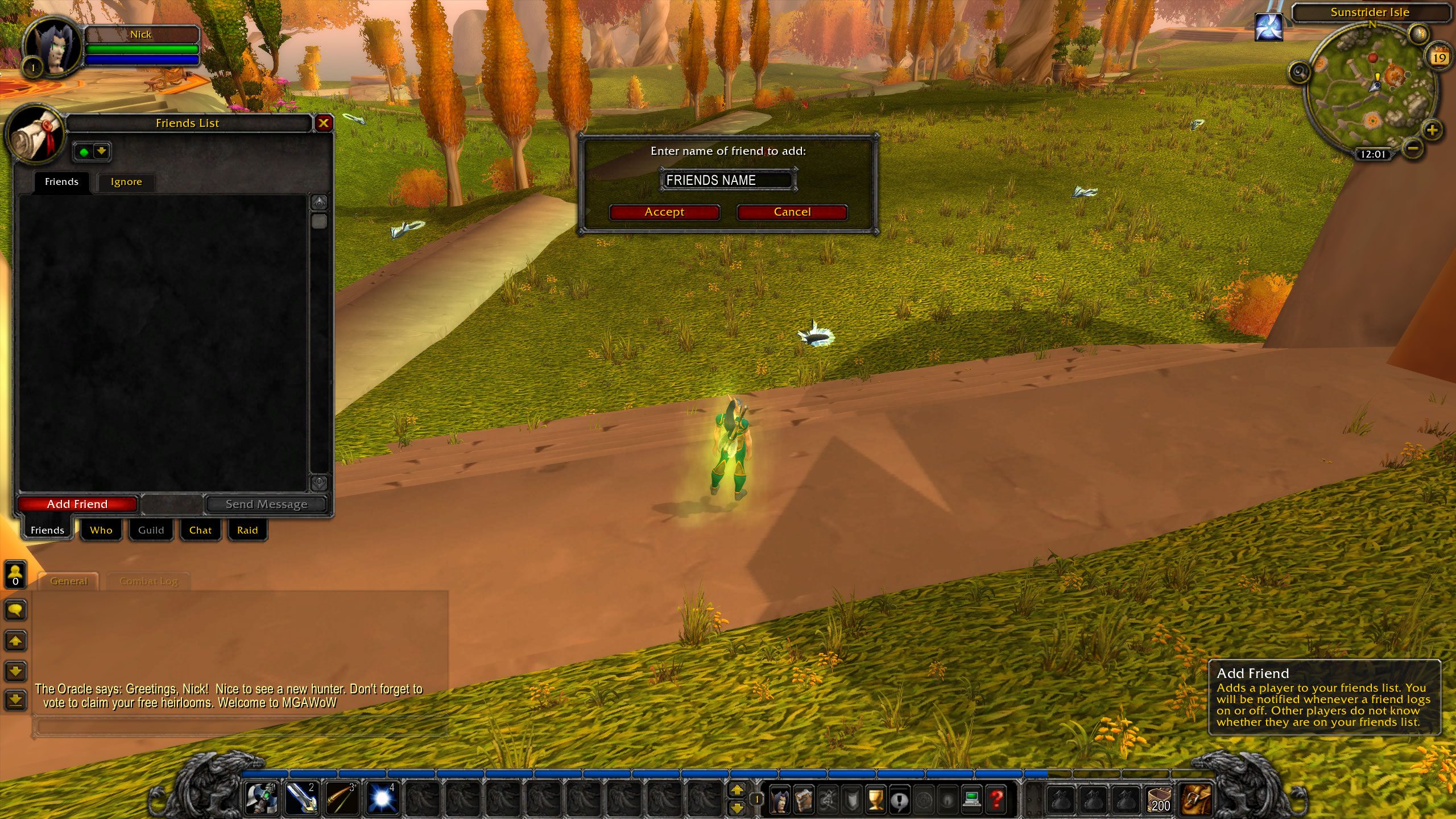
Now in game add them as a friend!
In-Game Setup
-
Add your referring friend to your in-game friends list.
-
You must be on the same realm.
-
To get the bonuses, you need to play together within 5 levels of each other (max level 80).
If you then play together in game you will get;
- XP Bonus (Must stay in range and be within 5 levels of each other, max level is 80).
- Reputation Bonus (Must stay in range, total 2.5x gain).
- Summon Other Player Once Per Hour.
For referring a friend you will both get.
- Free Mount. X-53 Touring Rocket (only way to get this mount)
- 4x 36 slot bags. A Very Large Bag (largest in game)
- 5,000 Gold!
Summoning Your Friend
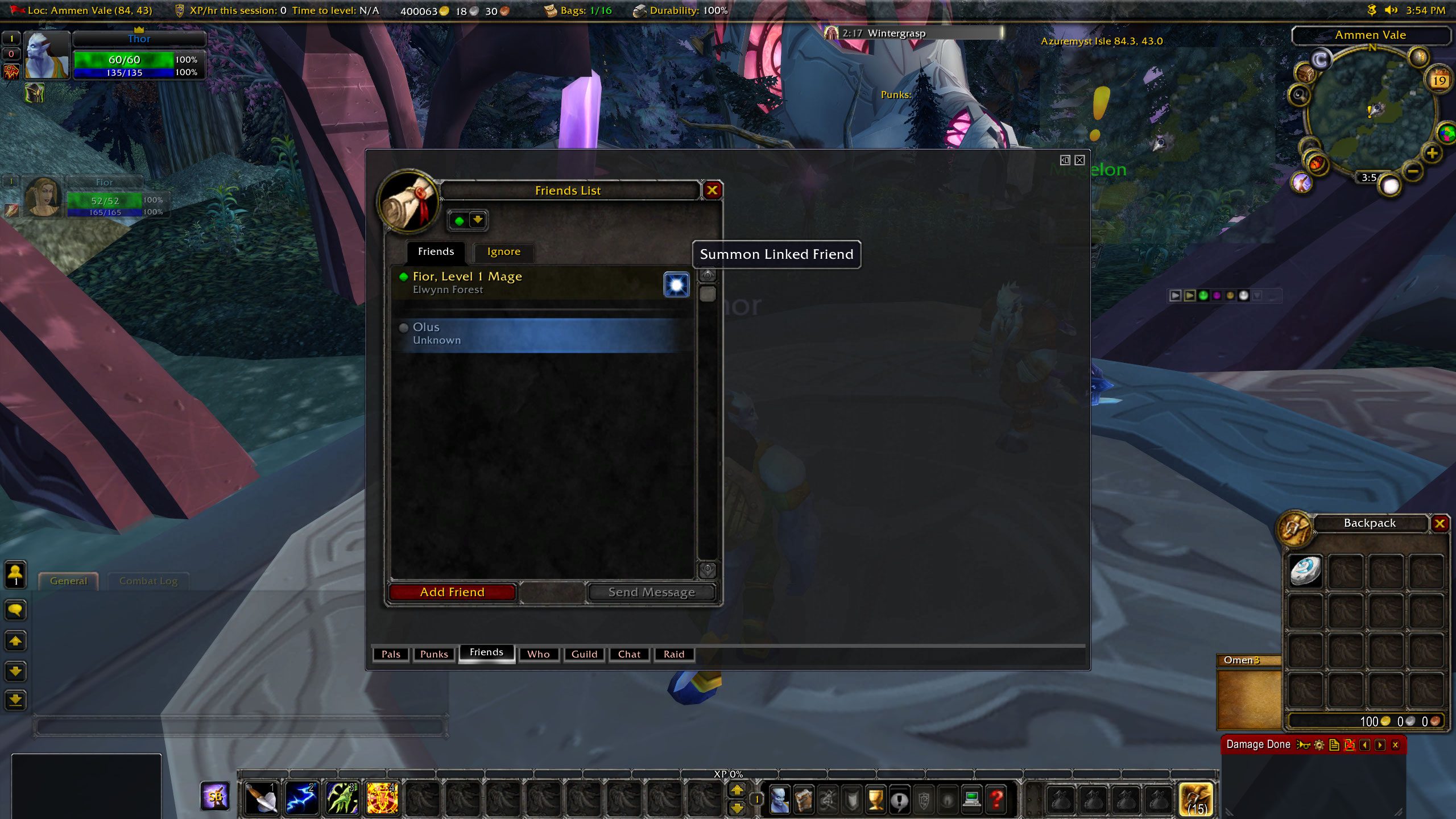
From your Friends screen in-game, click the summon icon next to your friend’s name to summon them — you must be in a party!
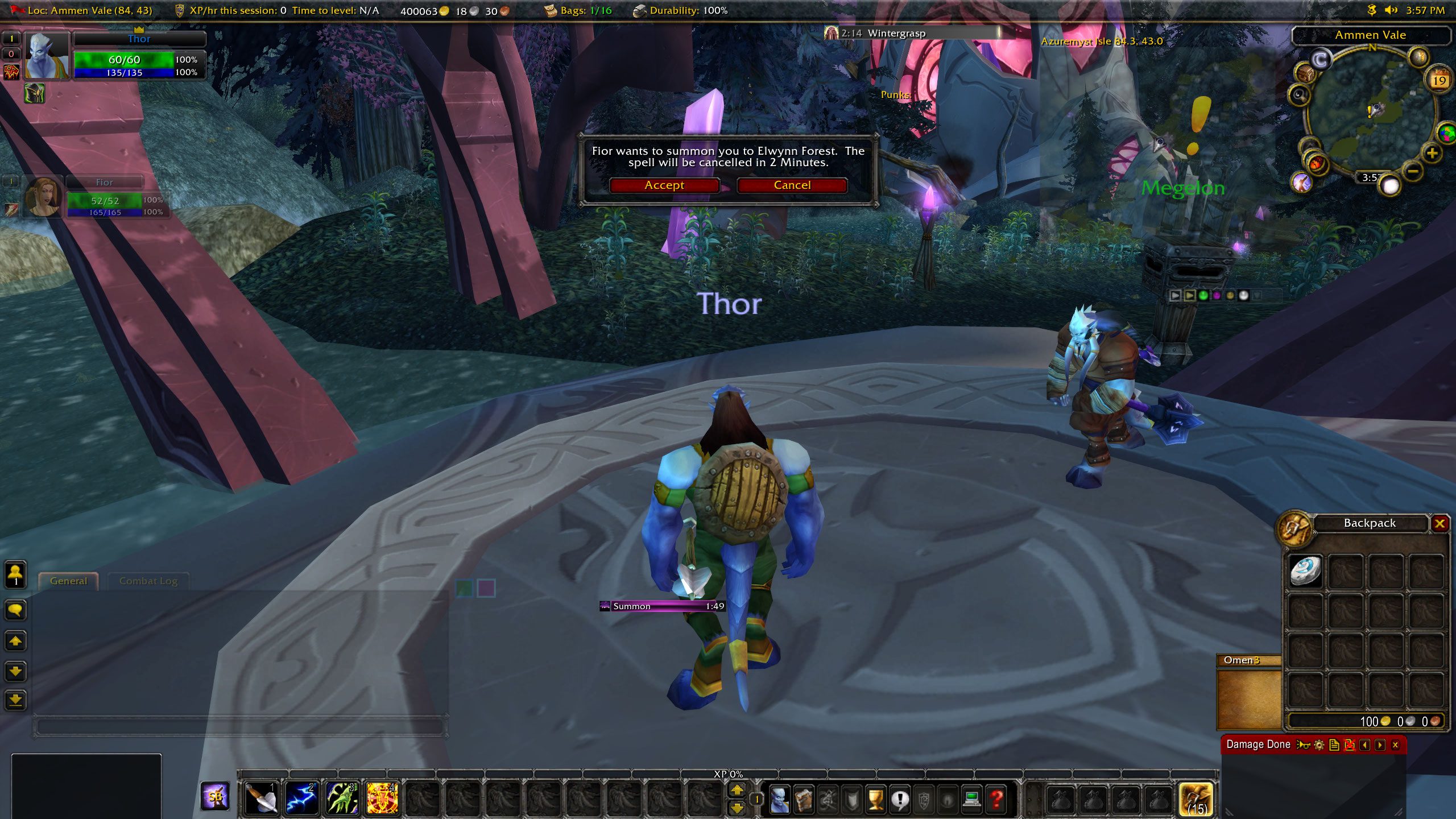
Ongoing Referral Link
Once Refer-A-Friend is set up, any new characters you create and level together will remain linked. You can summon each other once per hour, but the bonus items only apply once per referral.
How to Set Up Refer-A-Friend
-
Visit the Players Area [here].
-
If you haven’t set up Refer-A-Friend yet, you will see fields to:
-
Enter the character name of the player who referred you
-
Enter your character name
-
-
Your friend will receive an email to confirm the referral.
-
Once confirmed, both of you get the bonus items and in-game bonuses like XP boosts and summon ability.
Enter the character name of the player that referred and your character name.
Your friend will get an email asking them to confirm.
Once they confirm you BOTH will get the bonus items plus the in game bonus (like increased XP, summon friend, etc.)
What’s My RAF Link?
Each character has a unique referral link. Visit the Players Area [here], select your realm, and find your referral link at the lower right of the page.